

- Open Billing → Customers and select the customer. Their Overview tab opens.
-
The Subscriptions section lists all active plans assigned to the customer.
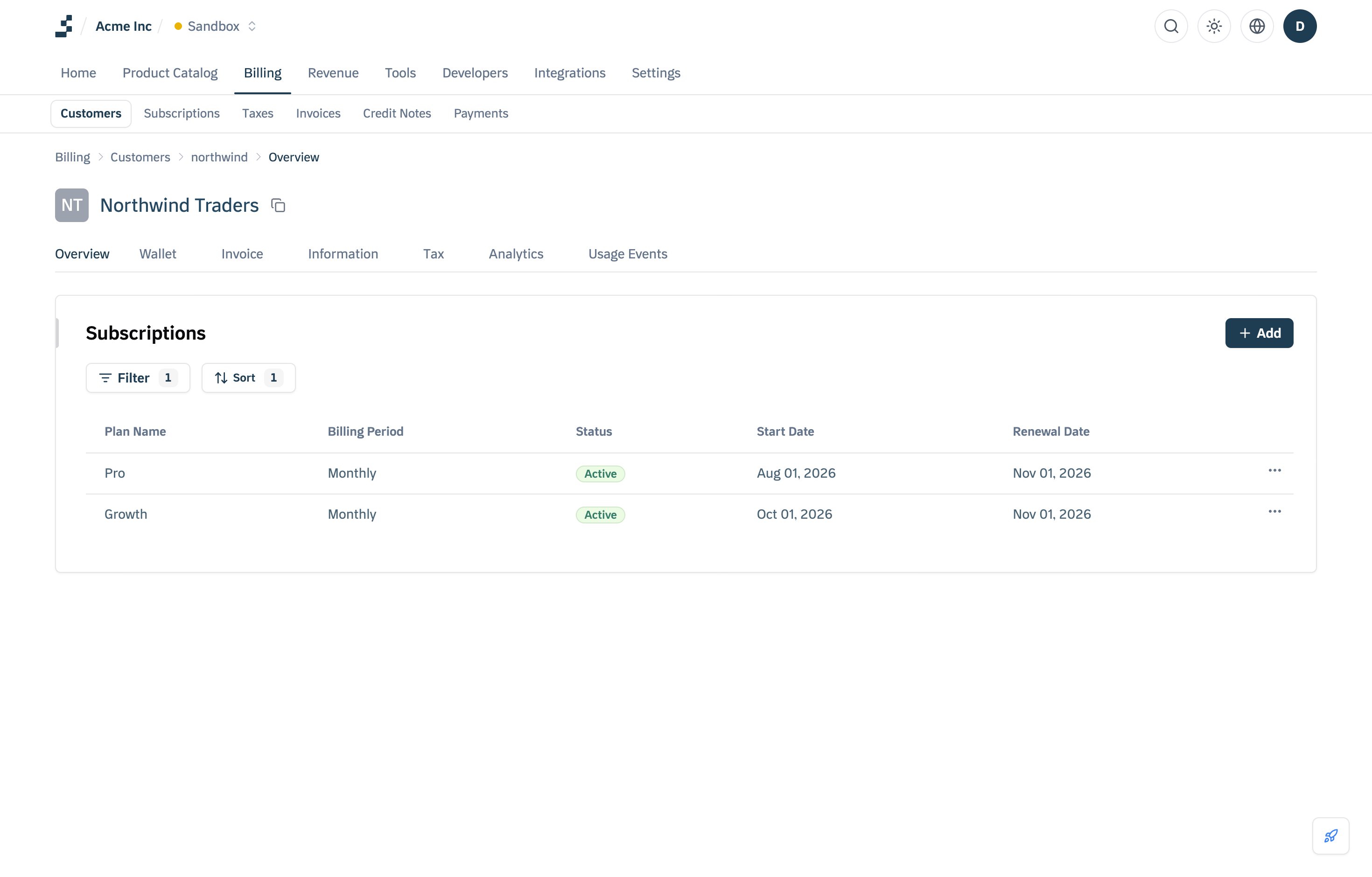
- Clicking on a plan will open the Subscription Details page.
-
Here, you can view:
- Subscription name (the plan)
- Status
- Billing cycle
- Commitment Period and Payment terms
- Start date
- Upcoming Invoices: a preview of the next invoice and its billing date
- If the customer is on a usage-based plan, you can refresh the invoice to see real-time calculations based on their latest consumption.
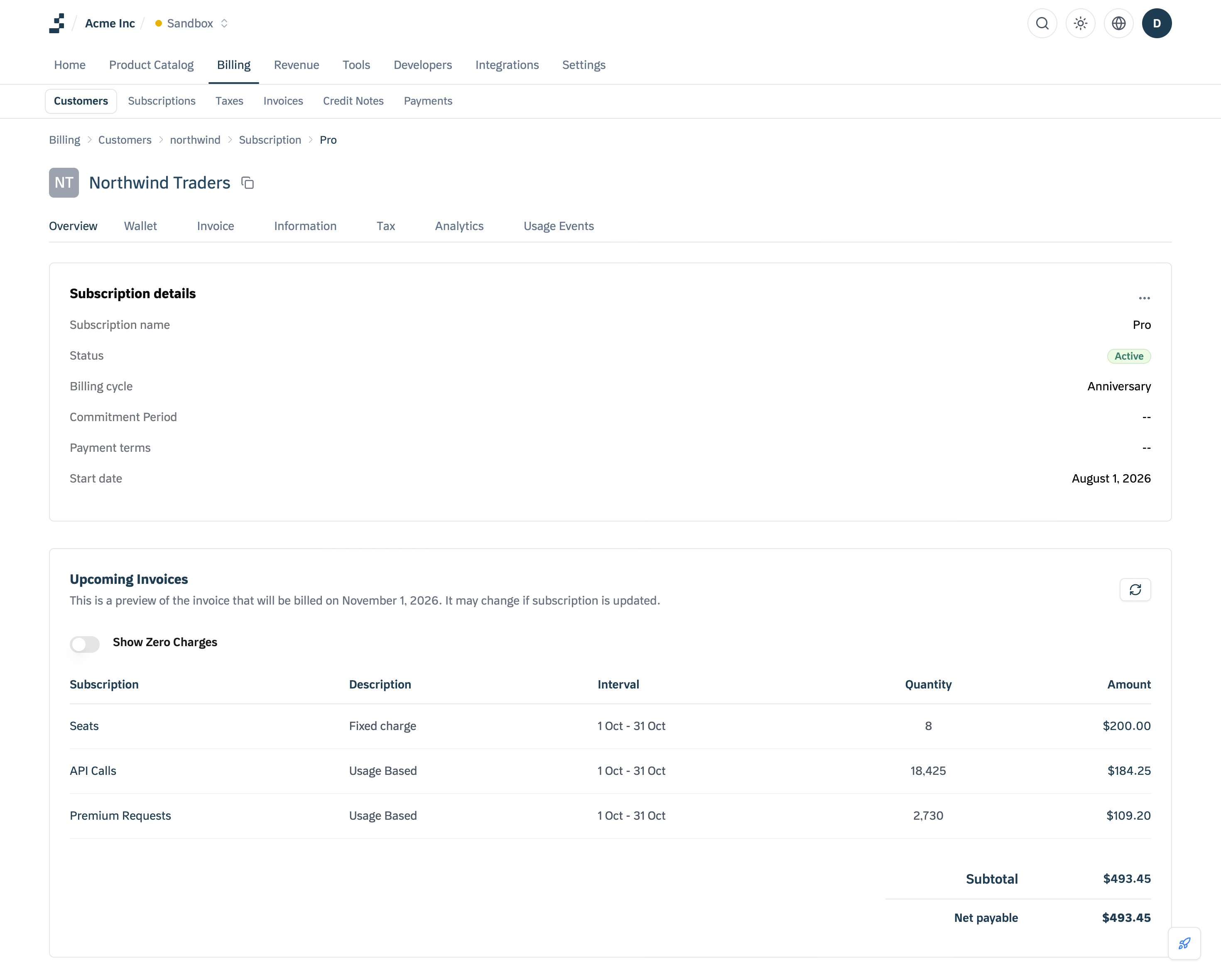
- Whenever a customer starts using usage-based features, any additional charges associated with it will reflect in the upcoming invoice.
- Click the Refresh Icon to update and view real-time billing calculations.