

- Open Product Catalog → Plans and choose the plan to which you want to link features.
- Open the plan’s Entitlements tab.
-
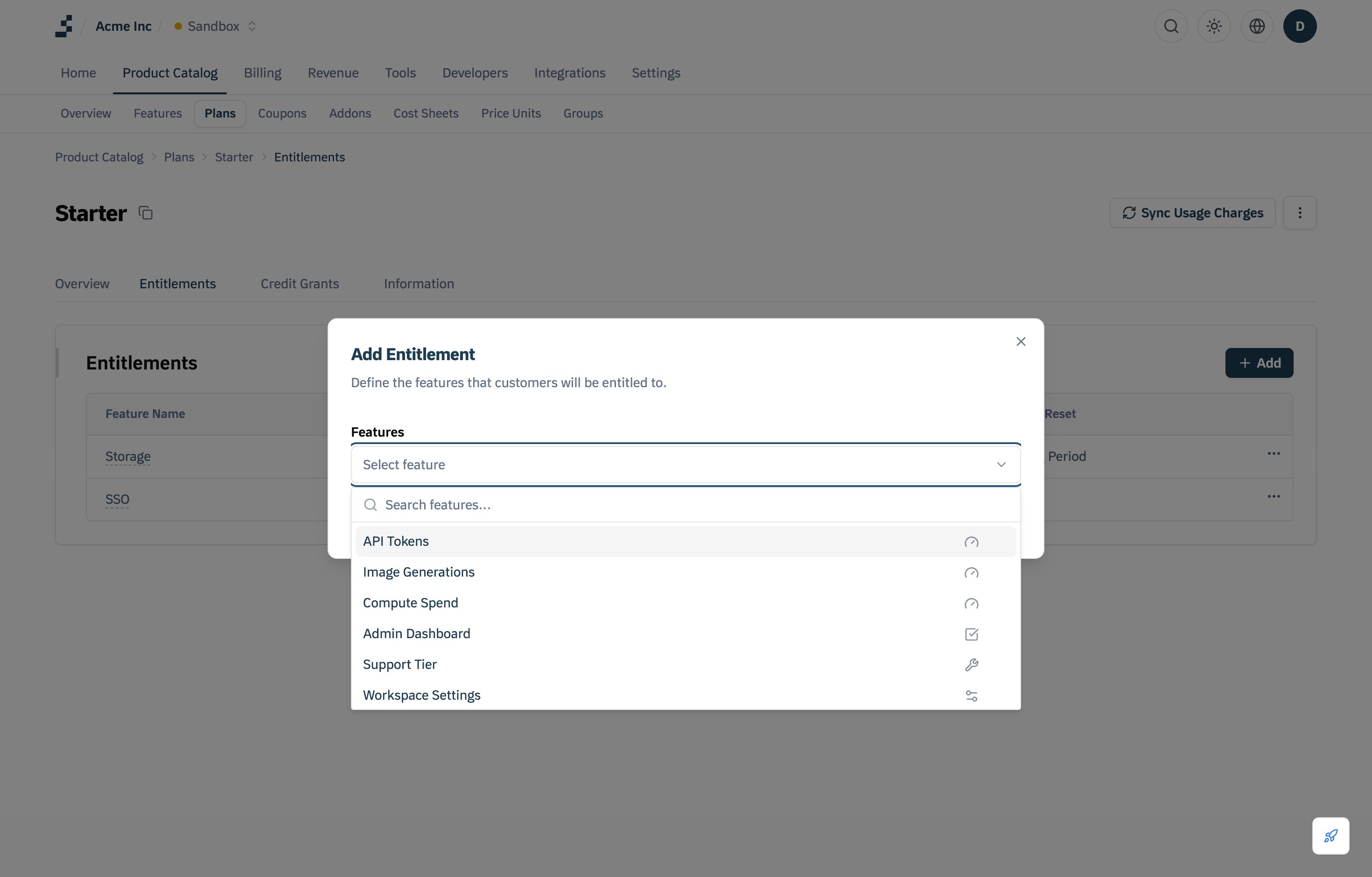
Click Add to add the desired features to the plan.
-
Configure access parameters, including usage limits, permissions, and other relevant settings.
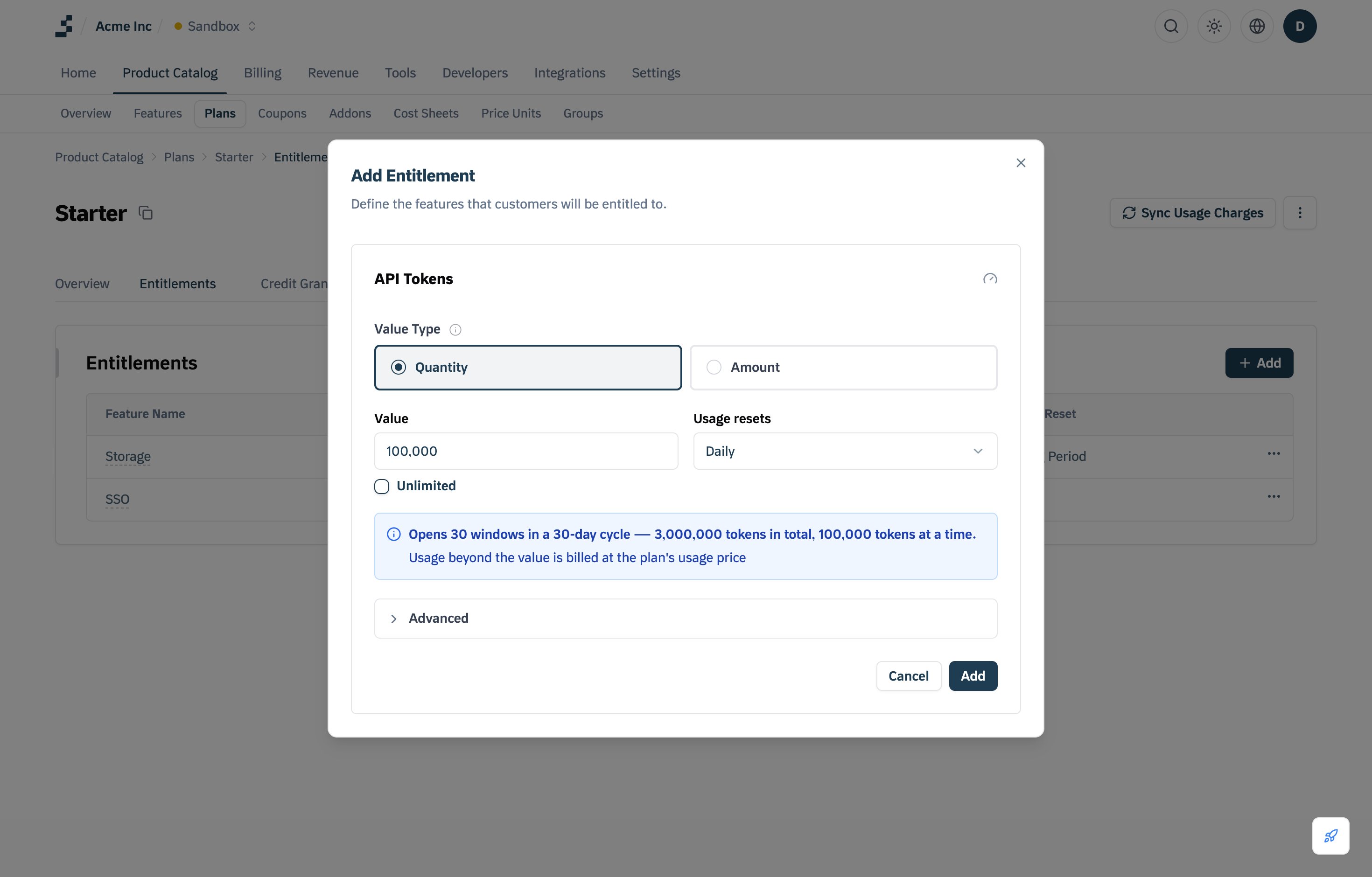
- Click Add under the feature, then Save, and the entitlements will be applied to all customers on this plan.
-
Boolean Features
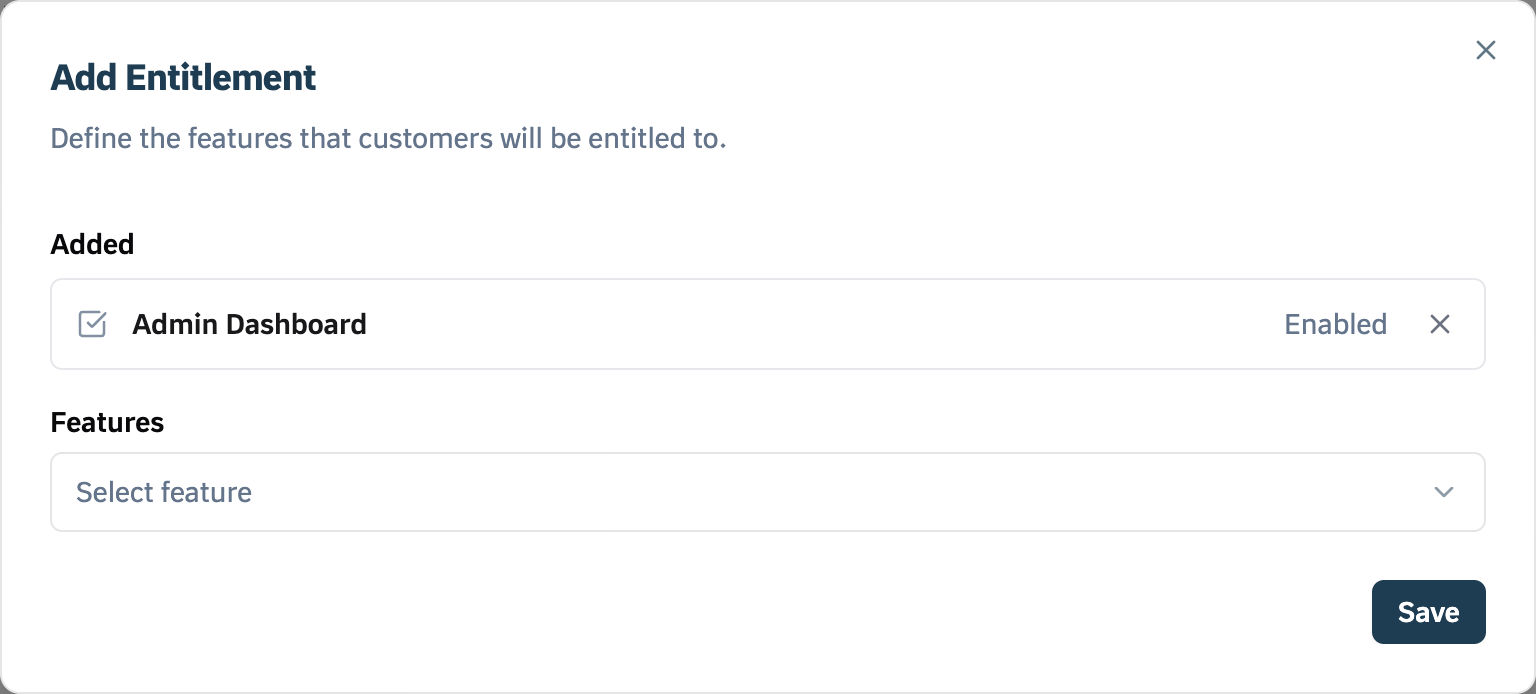
- Selecting a Boolean feature grants or restricts access for customers on this plan.
-
No further configuration is required: selecting it adds it straight to the Added list. Click Save.
-
Metered features
-
Setting the Value
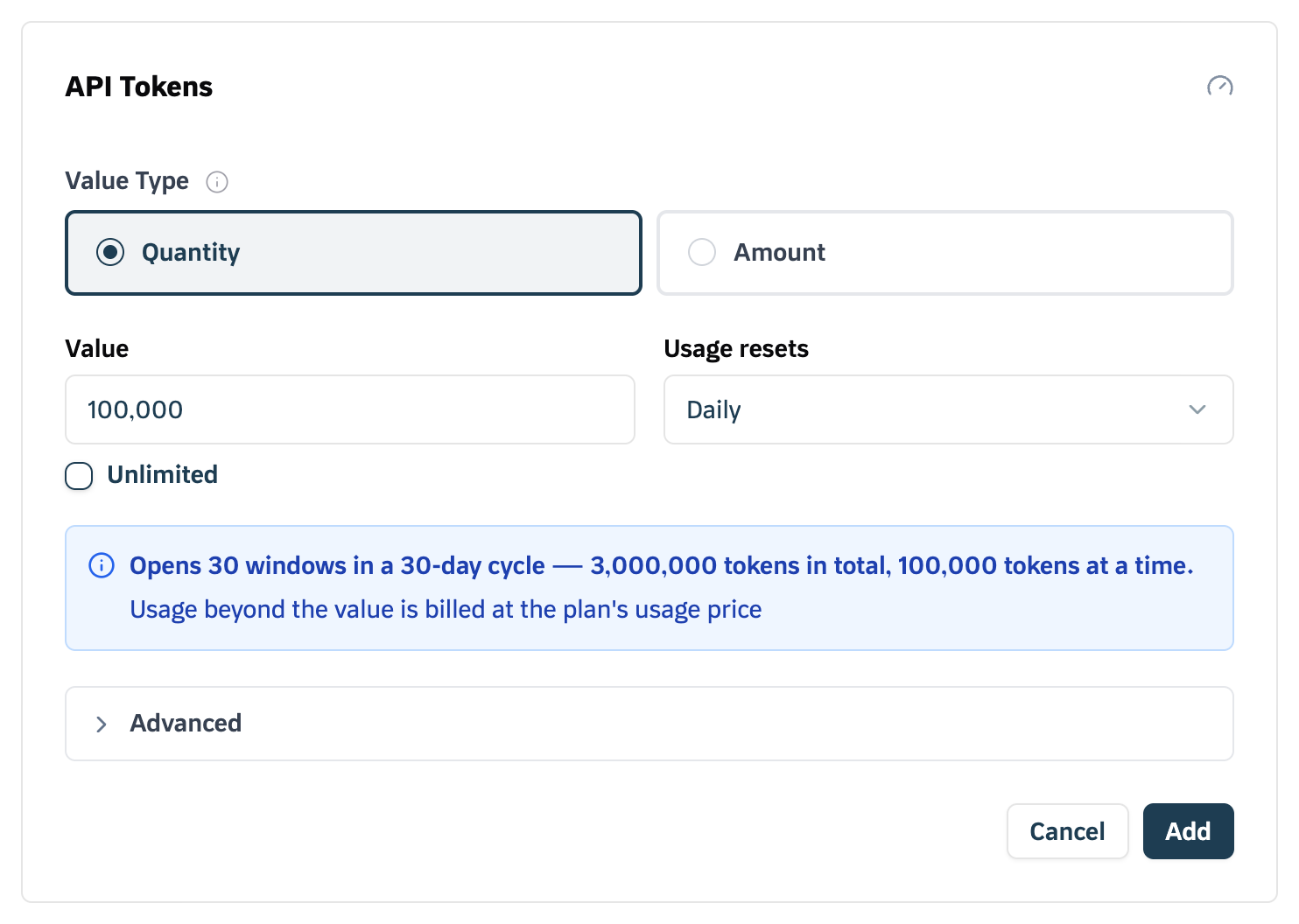
- Choose the Value Type: Quantity (meter units) or Amount (currency).
- Enter the Value: the usage a customer is allowed in each window.
- If there is no cap, select Unlimited.
-
Usage reset
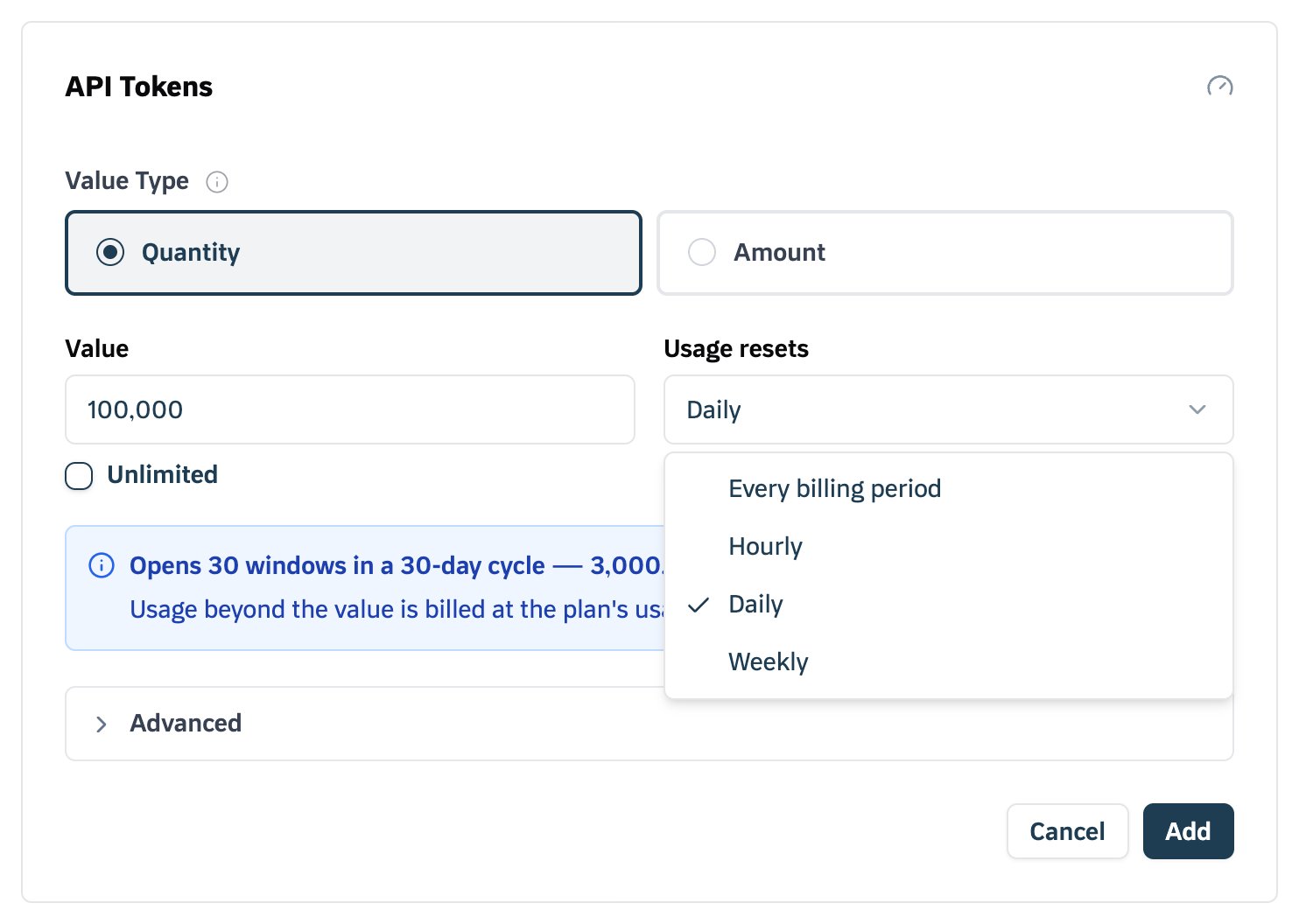
- Usage resets sets how often the value refreshes: Every billing period, Hourly, Daily, or Weekly.
- A reset shorter than the billing period is independent of the billing cycle. Advanced holds Window starts and Stacking; see Entitlement grants.
- When enabled, usage resets to zero at the specified interval, regardless of when the billing cycle occurs.
-
Setting the Value
-
Soft Limit vs. Hard Limit
The Tirdad console has no Soft Limit switch: usage beyond the value is billed at the plan’s usage price, and the
entitlement.grant.exhaustedwebhook fires when a window’s value is used up. Once a customer reaches their allocated limit, your application can handle additional usage in two ways:-
Soft Limit (Overage Allowed)
- Customers can exceed their limit.
- Excess usage may be charged separately (based on pricing rules).
- Common for pay-as-you-go models.
-
Soft Limit (Overage Allowed)
-
Hard Limit (Strict Cap)
- Customers cannot exceed the limit.
- Once they reach their limit, requests are blocked.
- Typically used for free tiers or strict allowances.
-
Static Features
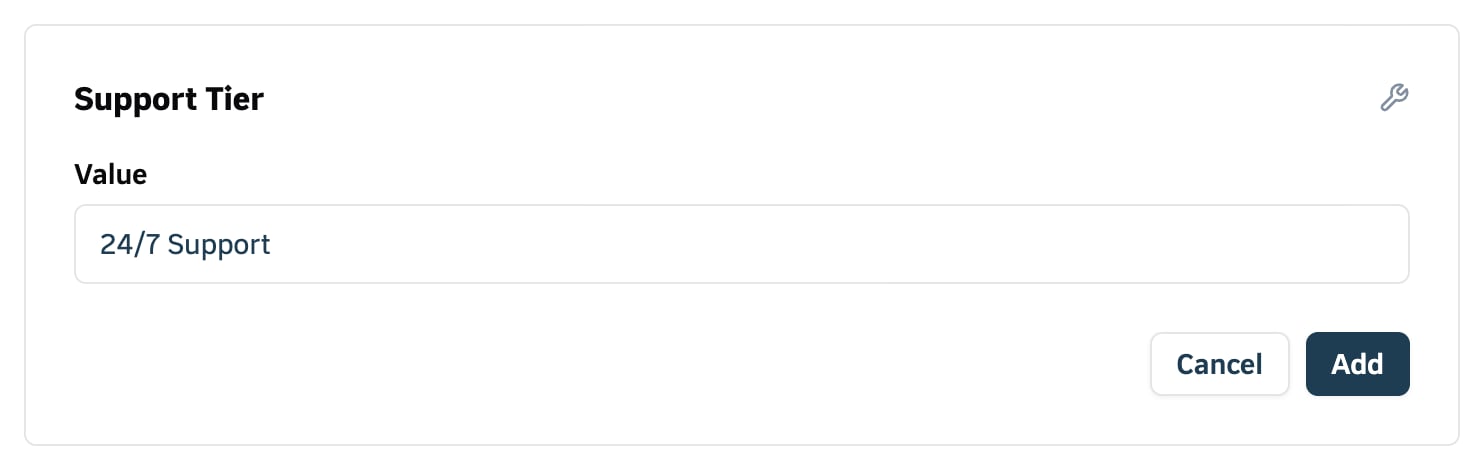
- Instead of setting limits, define a custom value.
- Example: 24/7 support, premium customer service, AI model access.
- Customers will see these benefits listed as part of their subscription.